The following article is a simple how to that I am currently trying on my homelab.
Requirements or technology used:
- ubuntu
- podman installed
1. Create a Podman network
This will be important to because it will allow twingate connector to solve the names. Podman somehow will have a internal DNS.
~$ podman network create homelab-netTo inspect:
~$ podman network ls
~$ podman container list
~$ podman ps -a
2. Create twingate connector inside that network
podman run -d --network homelab-net
--env TWINGATE_NETWORK="NETWORKNAME"
--env TWINGATE_ACCESS_TOKEN="*"
--env TWINGATE_REFRESH_TOKEN="*"
--env TWINGATE_LABEL_HOSTNAME="`hostname`"
--env TWINGATE_LABEL_DEPLOYED_BY="podman"
--name "twingate-stoic-ermine"
--restart=unless-stopped
--pull=always
docker.io/twingate/connector:latest
Take into account this is just an example. You will have to adapt. Twingate website will help you on that too.
3. Create a container with a simple nginx hello world page
podman run -d \
  --name nginx-test \
  --network homelab-net \
  -p 8080:80 \
  nginx:latest
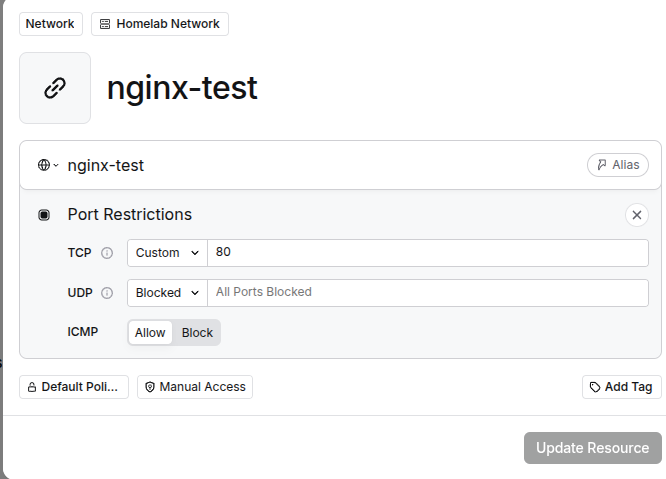
4. Create the resource on Twingate using the name and the port
name: nginx-test
port: 80
Also give permissions to yourself in order to test it.
5. Testing
You have to install Twingate client on other device. I used my android.
Open Twingate
Go into your browser and type: http://nginx-test